This year, Motorola launched its first Edge 70 series smartphone, the Motorola Edge 70 Fusion India, on March 2, 2026. It’s powered by the Snapdragon 7s Gen 4 (4 nm) chipset, 6.78 inches AMOLED screen, 50MP rear camera. But this is good for gaming under 25,999 price.
Motorola Edge 70 Fusion Hardware Specification for gaming
Edge 70 Fusion Key Design Features
This phone has a 7.99mm thickness and a 193g weight, making it one of the lightest in its class for easy one-handed grip and reduced fatigue.
Overall, the Motorola Edge 70 Fusion’s design is generally good for gaming, thanks to its slim profile, lightweight, and ergonomic curves that enhance comfort during extended sessions like BGMI, COD Mobile & Genshin Impact games.
Edge 70 Fusion Display Specs
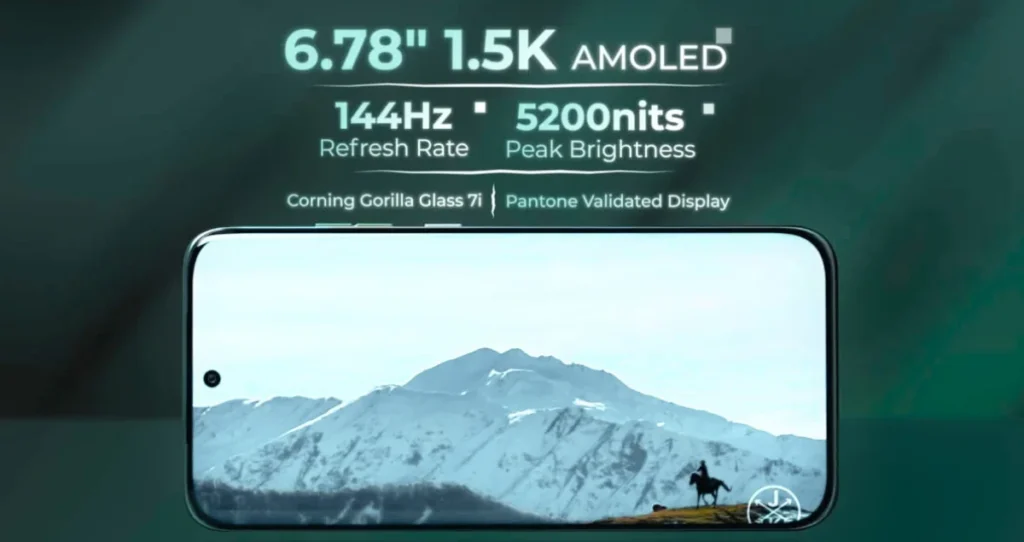
It has a 6.78‑inch 1.5K AMOLED panel with 144 Hz refresh rate, HDR10+, and up to 5200 nits peak brightness delivered vibrant colours, blacks are deep, and viewing angles are excellent, which helps in fast‑moving games like BGMI or Call of Duty: Mobile.
When we compared the Edge 60 Fusion, it has a slight upgrade in peak brightness, refresh rate and offers a sharper resolution for a good viewing experience for gaming.
Verdict for Indian gamers
If you’re mainly playing BGMI, Free Fire, CODM, or similar games at 90–120 FPS, the Edge 70 Fusion’s 144 Hz AMOLED display is an excellent value under ₹25k
Touch sampling rate for gaming
The Motorola Edge 70 Fusion features a 1500Hz touch sampling rate, which delivers highly responsive controls ideal for gaming like BGMI/PUBG Mobile or Call of Duty: Mobile for quick input registration and reducing lag during fast-paced actions.
Network, Wi-Fi, Bluetooth and Speaker
Motorola Edge 70 Fusion has dual stereo speakers with Dolby Atmos support, which are loud and clear enough for immersive gaming and media use.
For the network Edge 70 Fusion has 15+ 5G Bands and Wi-Fi 6e works great, which significantly boosts our gaming performance. During our long session, we didn’t notice any network issues outdoors and indoor.
Overall, the Motorola Edge 70 Fusion offers solid connectivity and audio features that perform adequately for casual gaming, but it’s not exceptional for competitive play.
Motorola Edge 70 Fusion Performance Test
The Motorola Edge 70 Fusion is powered by the Qualcomm Snapdragon 7s Gen 4 chipset, which is designed for an upper-mid-range device. and it features a 30% faster Adreno 810 GPU and 4nm efficiency, allowing high-frame-rate gaming in BGMI/PUBG Mobile and Call of Duty Mobile.
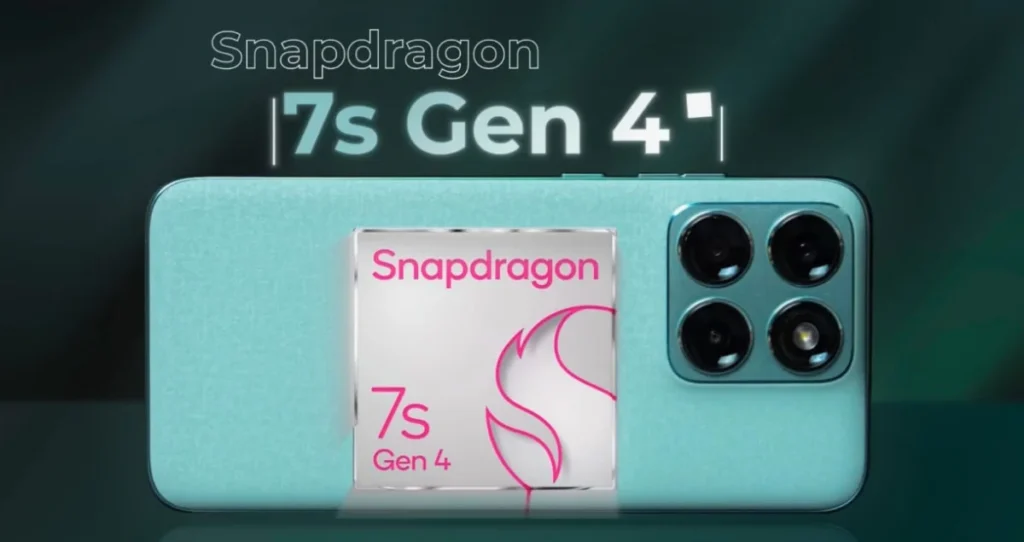
For smooth BGMI gameplay requires at least 6 Lakh above score, and the Motorola Edge 70 Fusion comfortably achieves approximately double antutu score.
It runs India’s most popular games like BGMI and COD Mobile smoothly at 120fps and gives a good gaming experience (we tested at 120fps).
More read: Motorola Edge 60 Fusion Gaming Test – in 2026
RAM & Storage Variant
The phone comes with 8GB or 12GB LPDDR5 RAM and 128GB or 256GB UFS-3.1 Storage variants, ideal for multitasking and gaming like BGMI—perfect for your Indian audience focus. Higher 12GB RAM with Snapdragon 7s Gen 4 combination is best for all games.
Motorola Edge 70 Fusion Antutu Score and Benchmark
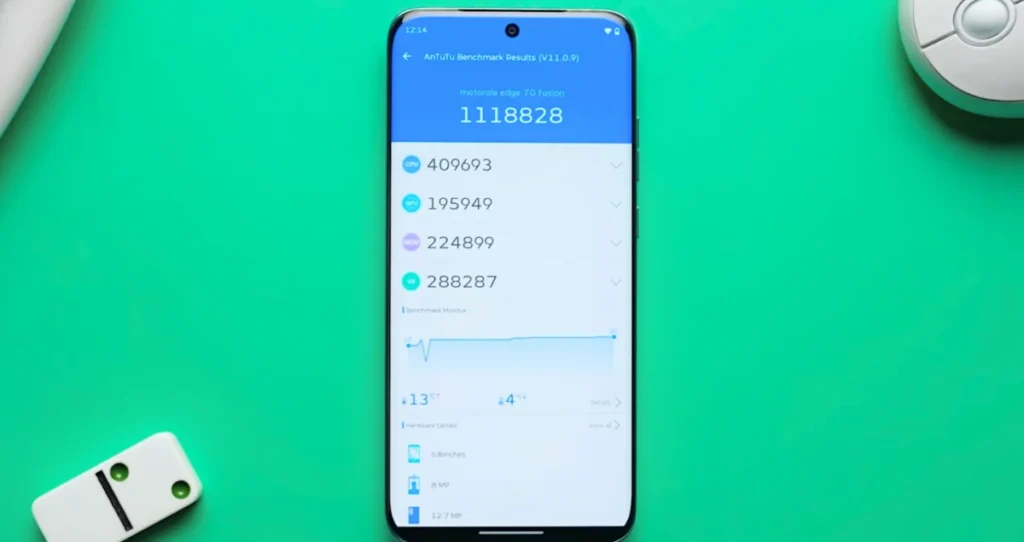
| Motorola Edge 70 Fusion | Score |
| AnTuTu | 1,118,828 |
| Geekbench 6 (Single) | 1,228 |
| Geekbench 6 (Multi) | 3,463 |
| 3DMark Wild Life Stress Test | 97.4% |
Overall, the Edge 70 Fusion benchmark score highlights that its 120fps BGMI gaming is slightly throttled.
Moto Edge 60 Fusion BGMI Graphics Settings

| BGMI Graphics | Edge 60 Fusion |
| Smooth | Ultra Extreme (120FPS) |
| Balanced | Extreme Plus (90FPS) |
| HD | Extreme (60FPS) |
| HDR | Extreme (60FPS) |
| Ultra HDR | Ultra (40FPS) |
| Extreme HDR | NA |
If you are searching for the Motorola Edge 70 Fusion BGMI graphics setting. This table provides you with a detailed breakdown for your better understanding. The Edge 70 Fusion supports a max of 120FPS BGMI gameplay.
Moto Edge 60 Fusion BGMI Gameplay
During my BGMI session on the Edge 70 Fusion, I experienced smooth gameplay performance with the ‘Smooth + Ultra Extreme‘ 120fps settings, offering stable fps between 109-116fps.
This phone TDM matches delivered 108-117 FPS for 30 minutes session, and another classic match delivered 105-114 FPS on various maps like Erangel, Sanhok, and Livik.
My gameplay time occasionally experiences a frame rate drop to around 85 FPS, which occurs on the Livik map, but the phone quickly recovers to its smooth performance.
Additionally, the battery drain was 17% after 1 hour of play, and the phone remained cool even with the highest settings bgmi gameplay, with a max temperature reached of 41°C. Which is excellent.
The Edge 70 Fusion Call of Duty and Genshin Impact Gameplay test FPS
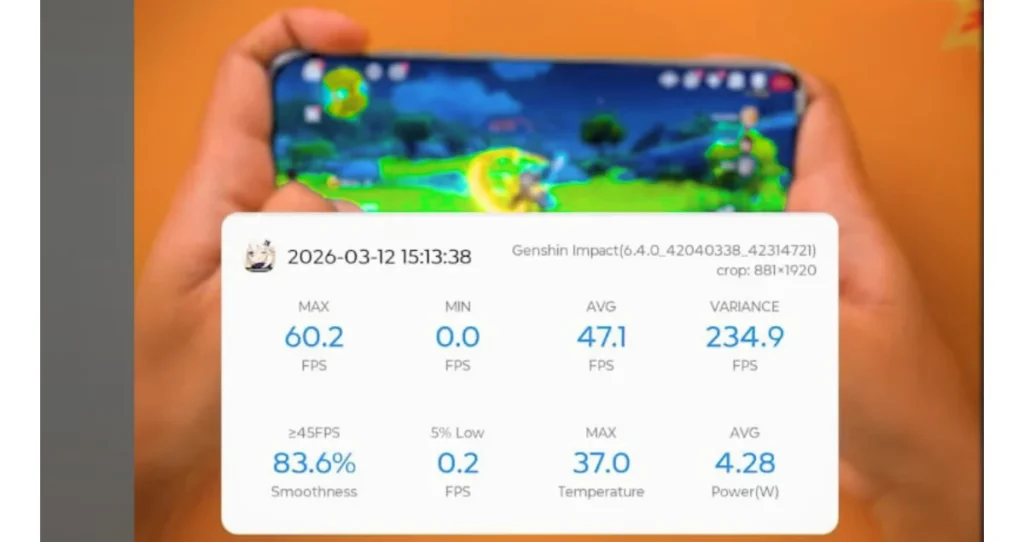
| Game | Test Setting | Test FPS |
| Call of Duty | support Low + Ultra 120FPS | 116.4FPS |
| Free Fire | support Max + High 90FPS | 87.6FPS |
| Genshin Impact | Support High + 60FPS | 47-60.2 FPS |
CoD: Mobile runs at max 120 FPS, while Genshin Impact / Wuthering Waves are comfortable achieving 47–60 FPS on high settings, but the phone is not as aggressive as a dedicated gaming phone.
Verdict for Indian gamers
If you’re mainly playing BGMI, Free Fire, CODM, or similar games at 90–120 FPS, the Edge 70 Fusion’s 144 Hz AMOLED screen, Snapdragon 7s Gen 4 chipset, and 7000mAh battery is an excellent value-for-money phone under ₹25k.
Moto Edge 70 Fusion Thermal Management and Throttling Issues
The Moto Edge 70 Fusion has a 4473 mm² vapor chamber cooling system to help reduce temperatures under control during heavier gaming and workloads. During my gaming test, the phone gets warm, but not to 39.7°C upper temperature, even during gaming or benchmark runs.
Moto Edge 70 Fusion Battery: 7,000mAh Test
Every smartphone battery plays a major role in gaming. It comes with a large 7,000mAh battery with 68W fast charger support. My one hour of gaming battery drain was 17%, and the phone remained cool even with the highest settings gameplay. You can play games for 4 to 5 hours and perform any heavy tasks for a full day. The 68W charger takes 55 minutes to fully charge. Which is excellent.
Motorola Edge 70 Fusion Pros & Cons
Motorola Edge 70 Fusion – Gaming pros (short)
- Good mid‑range chipset (7s Gen 4) for handling BGMI at 90–120 FPS smoothly.
- 144 Hz quad curved AMOLED display gives very smooth visuals and low casual–mid‑core games.
- Massive 7,000 mAh battery easily sustains long gaming sessions.
- Clean Android‑plus‑Moto UI stays stable under moderate gaming load.
Motorola Edge 70 Fusion – Gaming cons
- Not ideal for high graphics games like Genshin / Wuthering Waves.
- Sometimes CoD: Mobile capped below 90 FPS.
- Software and gaming optimizations are not as good as dedicated gaming‑focused phones.
FAQ
1. Does it support 120 FPS in BGMI?
Yes, it handles BGMI at Smooth + 120 FPS or HDR + Extreme 60 FPS settings with stable frame rates and minimal drops.
2. Does it overheat during long sessions?
No major throttling thanks to a 4473mm² vapor chamber cooling system; it stays cool in extended BGMI sessions.
3. How’s stability in demanding games?
BGMI and CoD run smoothly at high settings, but Genshin Impact caps at 30-60 FPS on medium graphics.